Jenis
LORA
Waktu publikasi
2026-03-29
Model Dasar
Illustrious
Kata Pemicu
Salin
Perkenalan versi
Base Mode: WAI-illustrious-SDXL

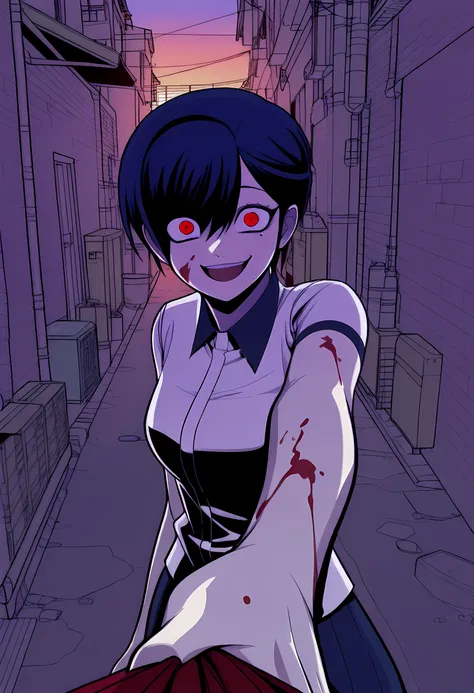
How to Use It Effectively
Trigger Word: driftpixel_YoonKarma
⚠️ Important: Do not use the trigger word by itself — results will be half-baked. Always combine it with detailed descriptions of pose, expression, outfit, lighting, and mood for the best quality.LoRA Weight: 0.9 – 1.2
Sampler: Euler a (recommended) Alternative: DPM++ 2M Karras
Scheduler: Normal or Beta 1.1
Steps: 20 – 40
CFG Scale: 5 – 7
Resolution: 768×1024 (great starting point) I often use 832×1216
Recommended Universal Negative Prompt:
low quality, worst quality, blurry, jpeg artifacts, bad , bad hands, deformed, distorted, disfigured, extra limbs, missing limbs, malformed limbs, fused fingers, too many fingers, mutated hands, poorly drawn hands, poorly drawn face, long neck, gross proportions, cropped, out of frame, watermark, text, signature, logo, usernameA full ComfyUI workflow is embedded in the metadata of every sample image I uploaded. Just download any showcase image and drag & drop it into ComfyUI — it will load the complete workflow automatically.This LoRA represents many hours of careful training and testing. If you find it useful, please 👍 like, 💬 leave a comment with your results, and feel free to ⚡ tip. it really helps support future projects!


Base Mode: WAI-illustrious-SDXL
1. Hak untuk model yang diposting ulang adalah milik pembuat aslinya.
2. Pencipta asli yang ingin mengklaim model harap hubungi staf SeaArt AI melalui saluran resmi. Klik untuk mengklaim
